Per-Seat vs Usage-Based SaaS Pricing: Budgeting in 2026
Per-seat pricing charges for every person with an account, usage-based pricing charges for what the product does (events, tasks, AI outcomes), and most 2026 budgets need both. Budget seats by headcount, usage by volume, and add a buffer for tier jumps, minimum seats and AI add-ons.
Mustafa Gezer · · 8 min read
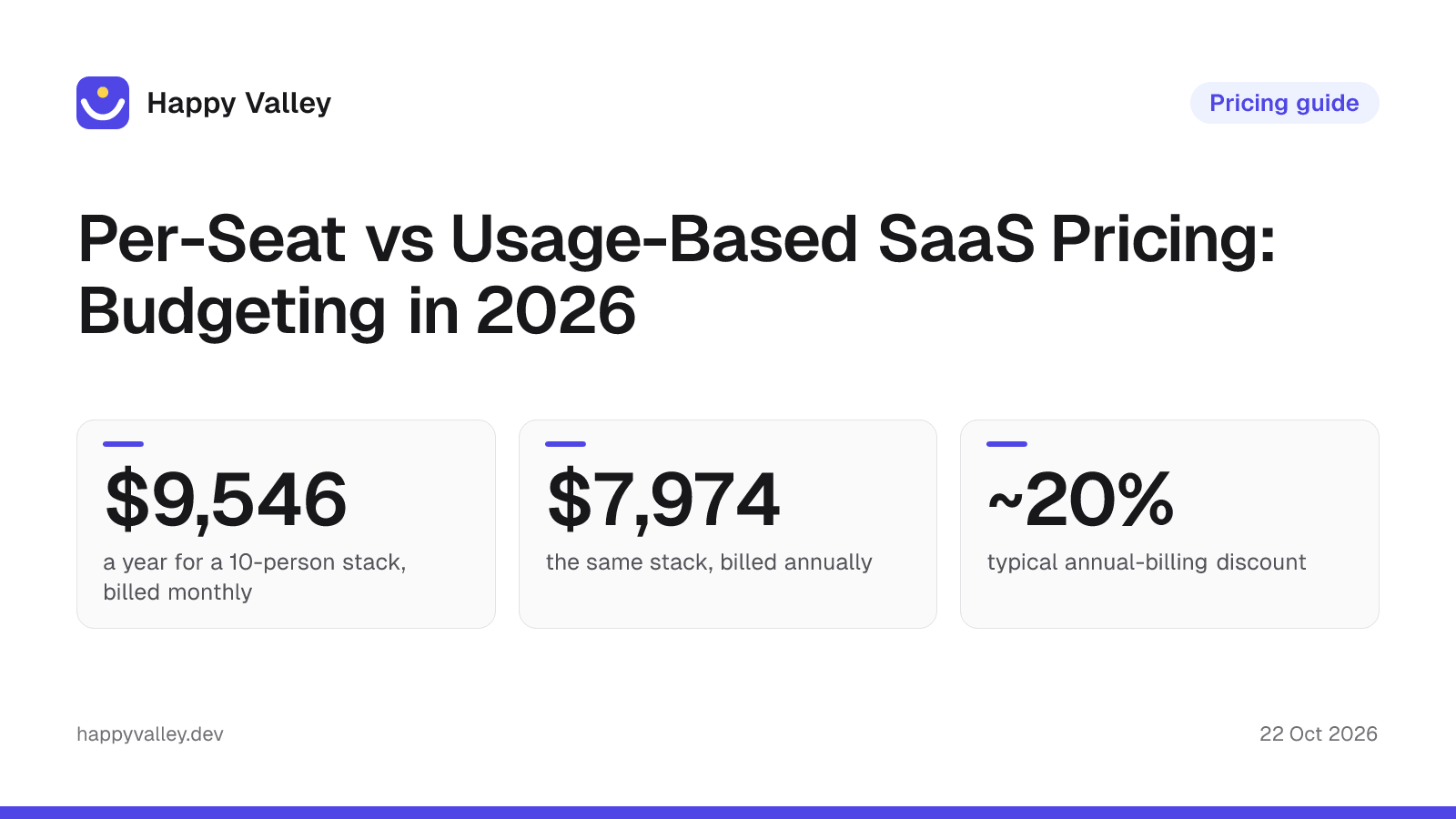
Scope: the figures in this article cover the 738 tools our editors researched and price-checked as of 22 October 2026. The live directory also lists a few maker-submitted products whose prices our editors have not checked yet (5 on this date), so site-wide counts such as the 743 on the Pricing Index are slightly higher.
The four pricing models at a glance
Almost every SaaS price list is built from one of four models, or a mix of them. The table uses USD monthly list prices from our catalog, checked on vendor pages between 2026-10-20 and 2026-10-22.
| Model | You pay for | Catalog examples (list price) | What drives the bill |
|---|---|---|---|
| Per seat | Each user, member or agent | Slack Pro $8.75/user; Zendesk Support Team $25/agent; Salesforce Starter Suite $25/user | Headcount |
| Usage or credits | Events, hosts, tasks, outcomes, tokens | PostHog from $0.00005/event after 1M free; Datadog Infrastructure Pro $18/host; Intercom Fin $0.99/outcome | Volume and activity |
| Flat or tiered | A package with fixed limits | Sentry Team $29/mo with unlimited users; Supabase Pro $25/mo; Resend Pro $20/mo for 50,000 emails | Which tier your volume lands in |
| Hybrid | A seat or platform fee plus metered usage | Retool Team $12/builder plus $7/internal user; Vercel Pro $20/member with a $20 usage credit | Headcount and volume together |
How common is each model? In our catalog of 738 active tools, 732 have plan details. A keyword scan of those plan descriptions suggests that about half (roughly 53%) price at least one plan per user, seat or agent, and a bit over a third (about 36%) show a usage signal such as events, credits, tasks or requests. These are approximate heuristics, not a strict classification, and the two groups overlap because hybrid plans count in both. For the full price distribution by category, see the SaaS Pricing Index and our 2026 SaaS pricing data story.
Per-seat pricing: predictable until headcount moves
Per-seat plans are the easiest to forecast: multiply the seat price by the number of people who need access. Slack Pro is $8.75 per user per month, or $7.25 billed annually. Salesforce shows how wide the range can get inside one vendor, from $25 per user on Starter Suite to $550 on Max, both before add-ons.
The weak spot is that cost scales with people, not with value. A part-time reviewer who opens the tool twice a month costs the same as a power user. Watch for three variations of the seat unit:
- Agent seats. Support tools such as Zendesk and Freshdesk charge per agent, so only staff who answer tickets count. The Intercom vs Zendesk comparison shows how the two structure this.
- Seat types. Figma Professional lists a full seat at $20 a month ($16 billed annually), with cheaper Dev ($12) and Collab ($3) seats at annual-billing prices. Assigning the right type to each person is often the largest single saving.
- Builder vs viewer. Retool charges builders $12 and internal users $7 on Team, so a company with 3 builders and 40 viewers pays mostly for viewers.
Usage-based and credit pricing: cheap to start, variable later
Usage pricing charges for output: events tracked, hosts monitored, emails sent, AI conversations resolved. PostHog includes 1M events a month free and then bills per event; Mixpanel and Amplitude follow a similar event-based logic (see Mixpanel vs PostHog). Datadog bills $18 per host on Infrastructure Pro and $0.10 per GB of ingested logs, with indexing billed separately.
The upside is a low entry cost and no penalty for adding colleagues. The downside is that the bill follows success: more traffic, more customers or a new AI feature can double the invoice without any change in team size. Before committing, check whether the vendor offers a spending cap. PostHog, for example, lists billing limits on its pay-as-you-go plan.
Credits are a variant that is now common in AI features. Miro includes 10 AI credits a month on Free, 25 on Starter and 50 on Business. Credits make AI usage look bundled, but heavy users run out first, and top-ups become a separate line item.
Flat, tiered and hybrid plans
Flat and tiered plans sell a package: a price plus limits on volume, sometimes with users included. Zapier Professional costs $29.99 a month for 750 tasks, and Team costs $103.50 for 2,000 tasks and up to 25 users. Typeform bundles both seats and responses: Basic is $39 for 100 responses and 1 seat, Plus is $79 for 1,000 responses and 3 seats. Sentry Team allows unlimited users at $29 a month, which makes it cheap for a growing engineering team as long as error volume stays within the tier.
Tiers are predictable inside a band and jump at the edges. If your volume sits just under a limit, plan for the next tier, not the current one. For automation in particular, the n8n vs Zapier comparison and the workflow automation category show how differently vendors count a task or execution.
Hybrid plans combine a seat or platform fee with metered usage, and they are where most AI pricing has landed. Vercel Pro is $20 per member and includes a $20 usage credit. Intercom charges per seat from $39 (Essential) and adds Fin AI at $0.99 per outcome. Claude Enterprise lists $20 per seat billed annually with a 20-seat minimum, plus usage at API rates. Hybrid plans need two forecasts, one for people and one for volume.
Worked example: a 12-month budget for a 10-person team
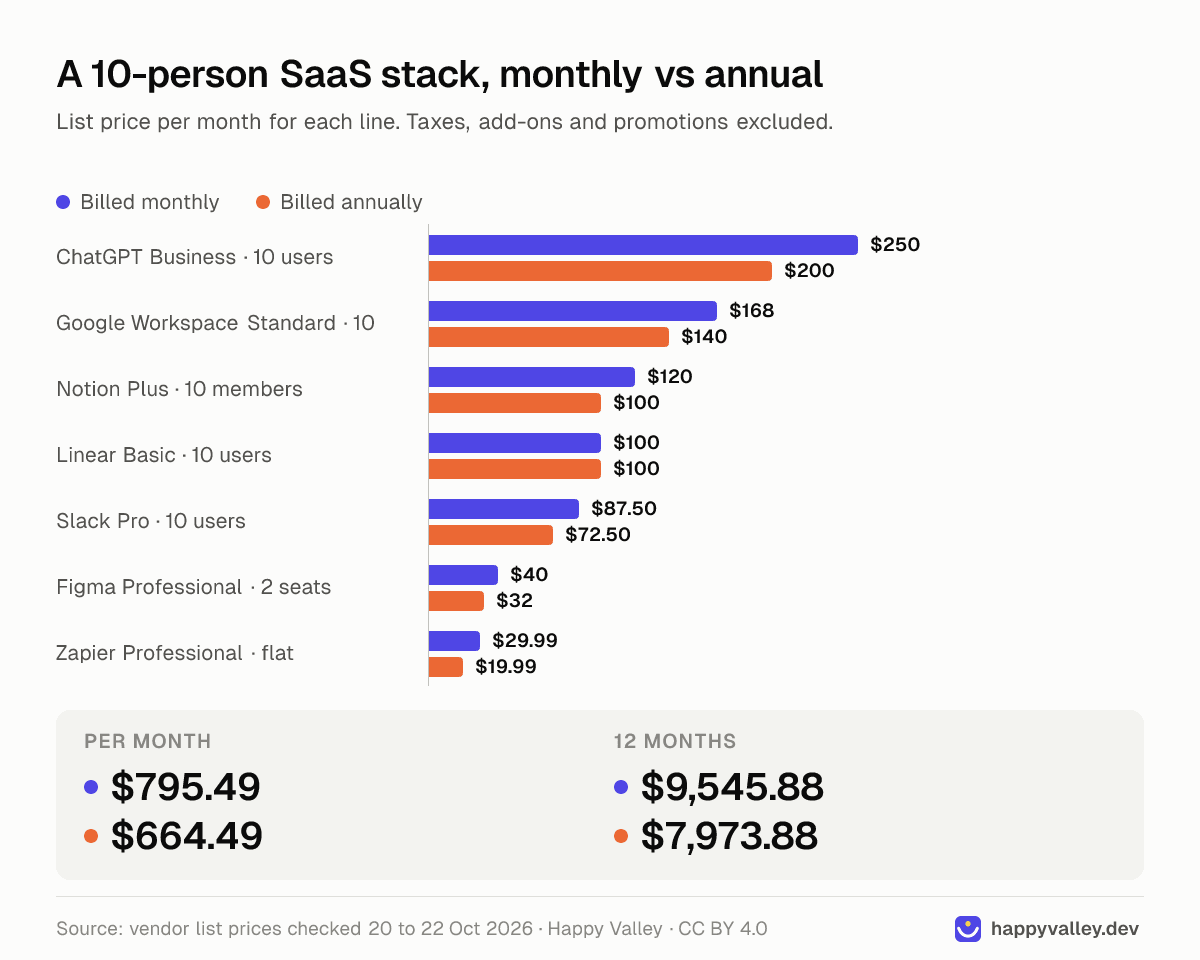
Assumptions: a 10-person company with 2 designers, no headcount change for 12 months, automation volume under 750 tasks a month, and USD list prices before tax. Linear lists Basic at $10 per user billed yearly, so the same figure appears in both columns.
| Tool and plan | Unit | Qty | Monthly billing ($/mo) | Annual billing ($/mo) |
|---|---|---|---|---|
| Google Workspace Business Standard | user | 10 | 168.00 | 140.00 |
| Slack Pro | user | 10 | 87.50 | 72.50 |
| Notion Plus | member | 10 | 120.00 | 100.00 |
| ChatGPT Business | user | 10 | 250.00 | 200.00 |
| Linear Basic | user | 10 | 100.00 | 100.00 |
| Figma Professional | full seat | 2 | 40.00 | 32.00 |
| Zapier Professional | flat, 750 tasks | 1 | 29.99 | 19.99 |
| Total per month | 795.49 | 664.49 | ||
| Total for 12 months | 9,545.88 | 7,973.88 |
Paying annually saves $1,572 a year here, about 16%. Across the catalog, plans that list both a monthly and an annual price show a median gap of about 20% (an approximate scan of roughly 590 plans from about 240 tools; the middle half fall between about 17% and 26%).
Now stress the budget with three realistic changes:
- Hiring. Each new person adds $72.55 a month on monthly billing across the five per-user tools ($870.60 a year), or $61.25 on annual billing. Four hires in month 7 add $1,741.20 to the monthly-billing total.
- Automation growth. If tasks pass 750 a month, Zapier Team costs $103.50 instead of $29.99 on monthly billing, which adds $882.12 over a full year. This is the usage side of the budget, and it moves with activity, not headcount.
- Developer access in Figma. Giving 4 developers a Dev seat at the listed $12 (annual billing) adds $48 a month, against $64 for four full seats at the annual $16.
The lesson: the per-seat lines are easy to forecast from a hiring plan, while the usage lines need a volume forecast and a ceiling.
Hidden costs to put in the budget
- Annual-only plans. DocuSign Standard is $30 per user with an annual commitment ($360 a year). Fireflies Enterprise and Linear Enterprise are annual only, and Workable Premier is $599 a month billed only annually ($7,188 a year).
- Minimum seats. ChatGPT Business has a 2-seat minimum, monday.com Basic starts from 3 seats, Scribe Pro Team requires 5 seats, Miro Enterprise starts from 30 members and Calendly Enterprise starts at 50 seats (from $15k a year).
- Overage and per-unit extras. AfterShip charges $0.08 per shipment over the plan, ManyChat $0.05 per extra contact, Customer.io $0.009 per extra profile, and BigCommerce Scale 0.9% on sales above $33,333 a month.
- AI priced separately. Loom Business is $18 per user, and Business + AI is $24. Quadratic Business includes $40 in AI credits a month and sells extra credits. Intercom's Fin is billed per outcome on top of seats.
- Onboarding and platform fees. HubSpot lists a $3,000 onboarding fee on Marketing Hub Professional and $7,000 on Enterprise. Grafana Pro has a $19 platform fee plus usage, with 3 users included and $8 per extra user.
List prices change often, and vendors run promotions (HubSpot, for example, lists a new-customer price for Starter). Check the vendor page before you sign; each tool page shows when its pricing was last checked.
A five-step budgeting method
- List every tool with its billing unit: user, agent, builder, host, event, task, credit or flat package.
- Forecast the driver for each unit: a month-by-month headcount plan for seats, and a volume estimate with a 25-50% upside case for usage lines.
- Price both billing terms and commit annually only for tools you are confident you will keep and whose seat count is stable.
- Check minimums, seat types and AI credits before buying, and assign the cheapest seat type that covers each person's work.
- Set caps and a review date: turn on spending limits where offered, and review usage 60 days before each renewal.
If you are still choosing tools rather than budgeting for them, start with our checklist for choosing SaaS, and see how far free plans go in 2026 before paying for a tier you may not need. To compare options for a specific product, the Zapier alternatives page and the customer support category list current plans side by side.
Conclusion
Per-seat pricing is predictable and penalizes growth in people; usage pricing is cheap to start and penalizes growth in activity; tiered plans jump at their limits; hybrid plans need both forecasts. For a 10-person team, a typical stack of seven tools costs about $8,000 to $9,500 a year at list price, and the difference comes mostly from billing terms. Build the budget from billing units, not tool names, and keep a line for overages and AI add-ons.
Frequently asked questions
Is per-seat or usage-based pricing cheaper?
Neither is cheaper in general. Per-seat pricing favors small teams with heavy use, while usage pricing favors larger teams with light or occasional use.
How much does annual billing save on SaaS?
In our catalog, plans that list both prices show a median gap of about 20%, and the middle half fall between about 17% and 26%. In the 10-person example above, annual billing saved about 16%.
How do I budget for usage-based SaaS?
Estimate monthly volume from current data, add an upside case of 25-50%, and price the next tier as well as the current one. Turn on spending limits where the vendor offers them.
What is hybrid SaaS pricing?
A hybrid plan charges a seat or platform fee plus metered usage. Vercel Pro ($20 per member with a $20 usage credit) and Intercom (per seat plus $0.99 per Fin outcome) are examples.